Gmail Job Tracker · Case study
Gmail Job Tracker
Job hunting turns your inbox into a filing problem. This app signs into Gmail, finds every application email, works out the company, role and stage, and puts each one on a board. You drag a card when it's wrong, and it never overrides you again.
- Role
- Product design · Design engineering · Agent orchestration
- Type
- Full stack product
- Timeline
- 1 day · September 2026
- Stack
- Next.js 16 · Gmail API · Claude Haiku · SQLite · Motion
The problem
Every application ends up as six emails from four senders.
Confirmations come from Greenhouse. Interview invites come from a recruiter. Rejections come from no-reply. Nothing in the inbox says which company or which stage.
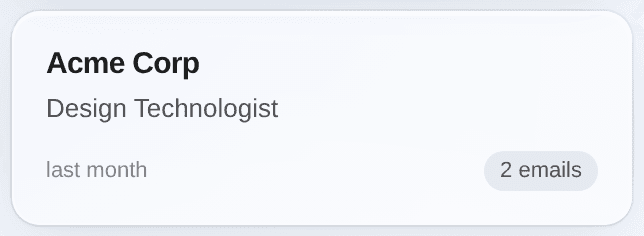
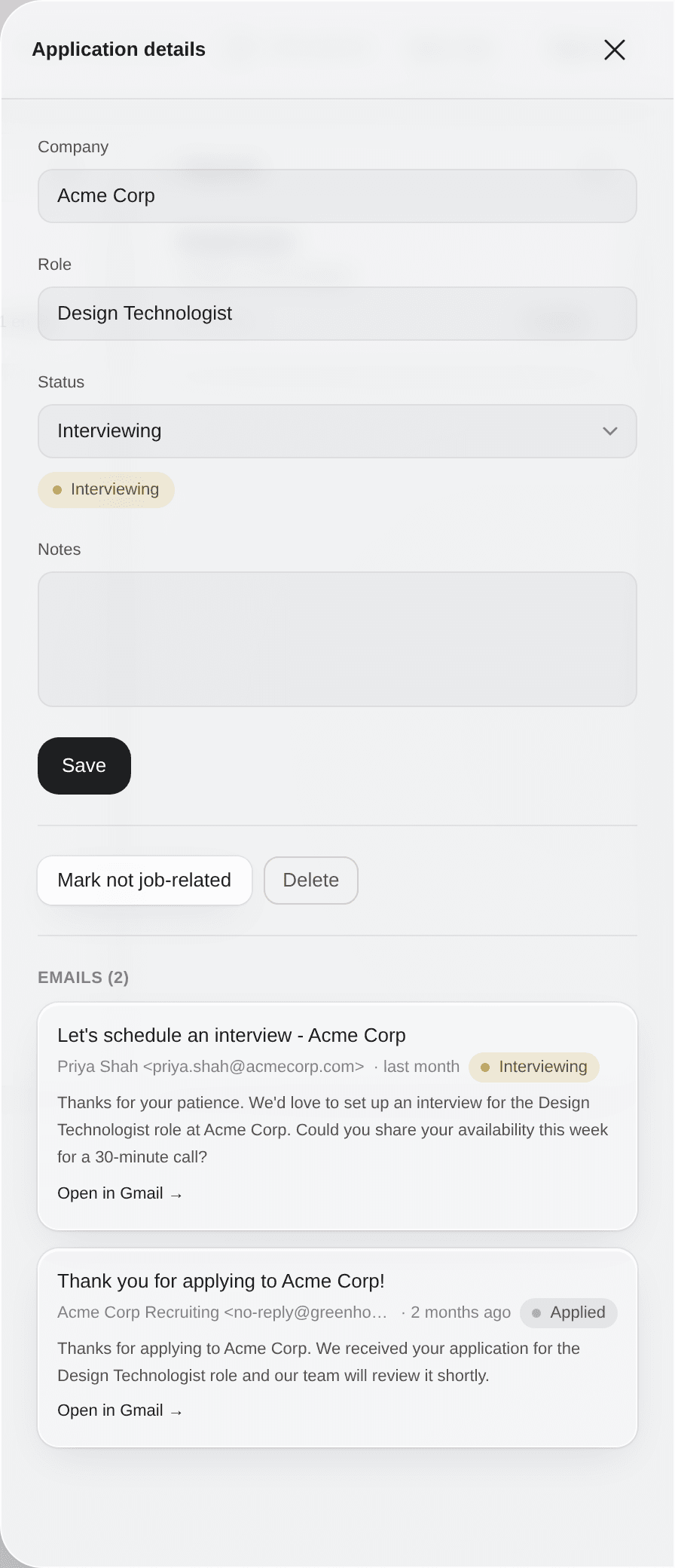
“Thank you for applying to Acme Corp!”
From no-reply@greenhouse.io. Read as Applied · Acme Corp · Design Technologist.
“Let's schedule an interview - Acme Corp”
From a recruiter. Read as Interviewing · Acme Corp. Same card, moved over.
“Regarding your Design Technologist application at Brightwater”
From a person. Read as Rejected · Brightwater. The subject never says so.
The board
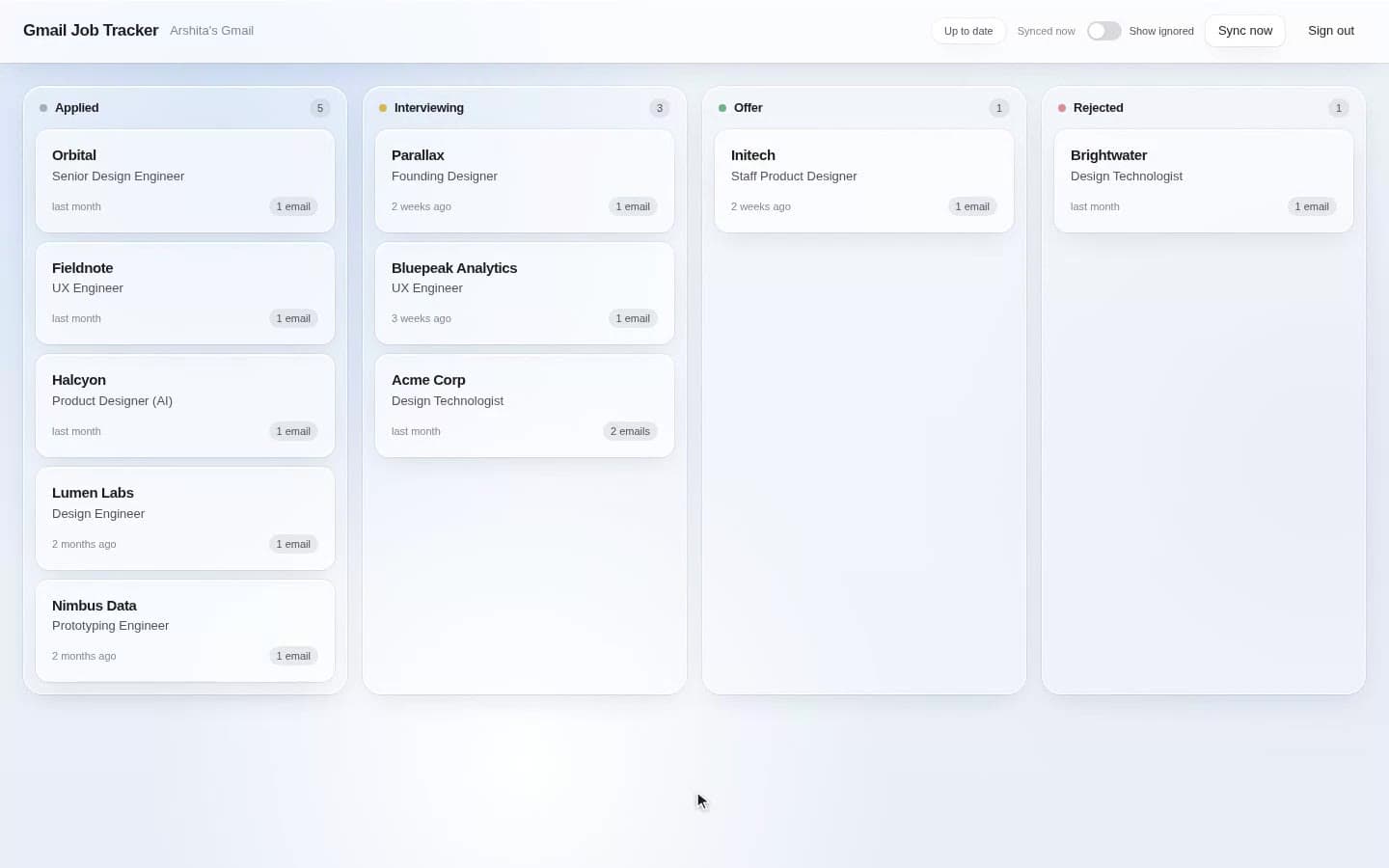
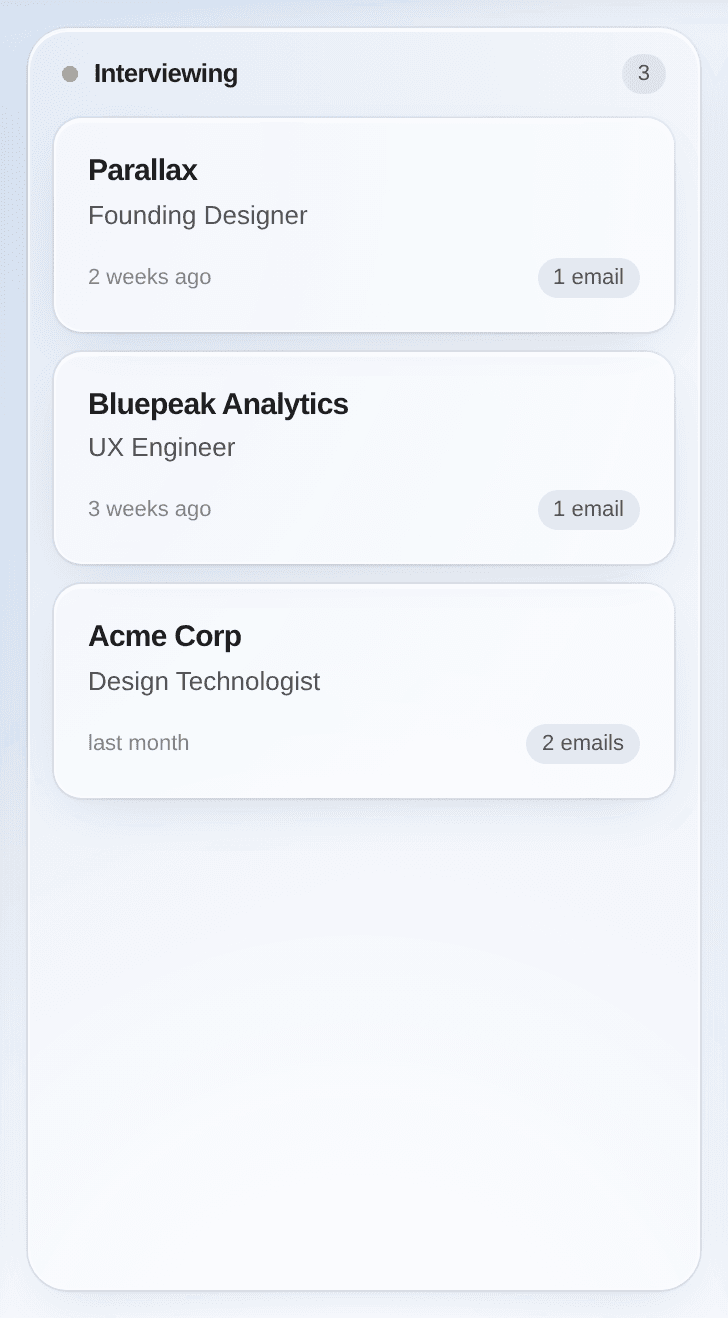
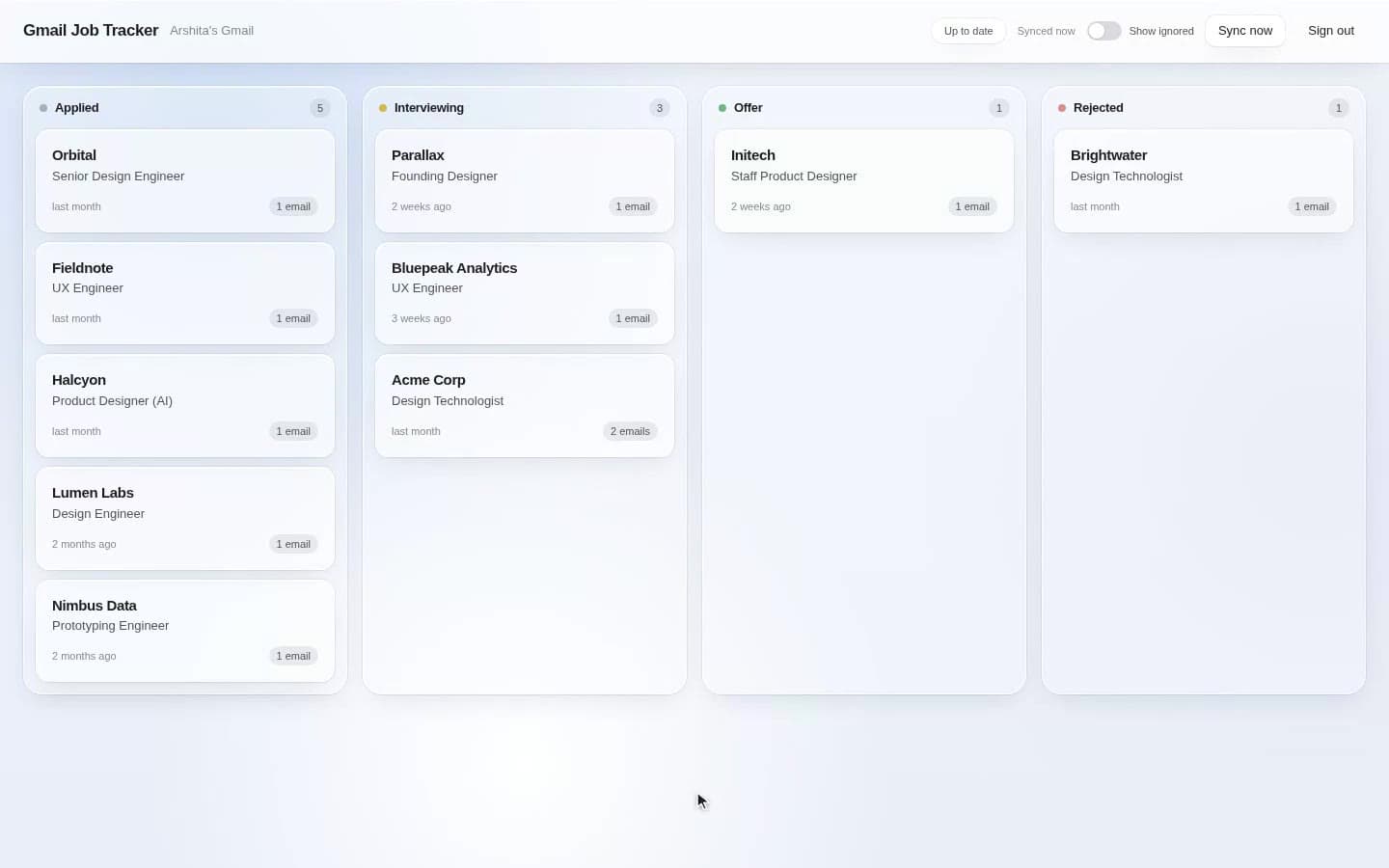
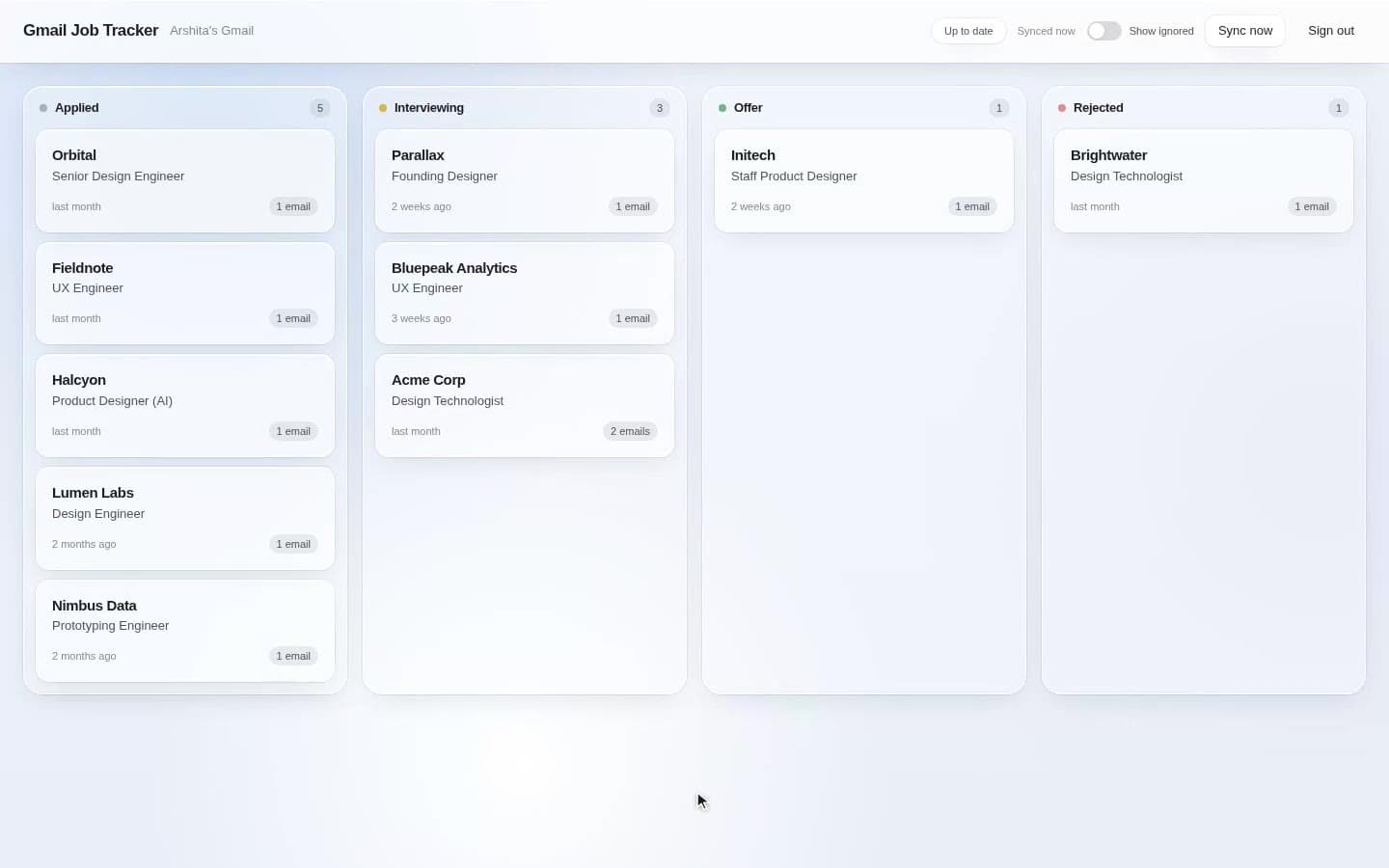
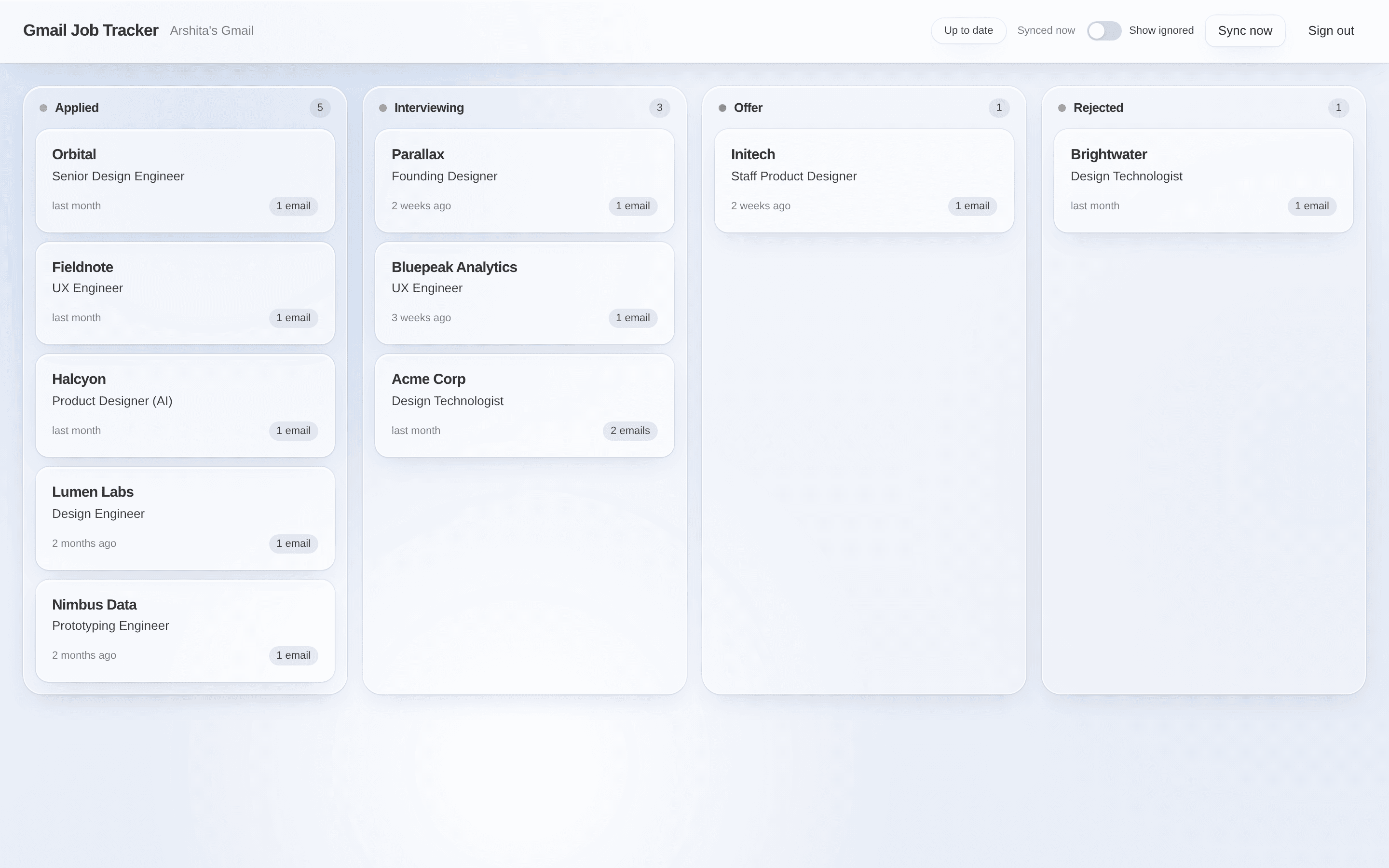
One card per company. Four columns. Nothing to file.
Cards sort themselves by the latest email. The count on each column is the only number on the page.
Keeping up
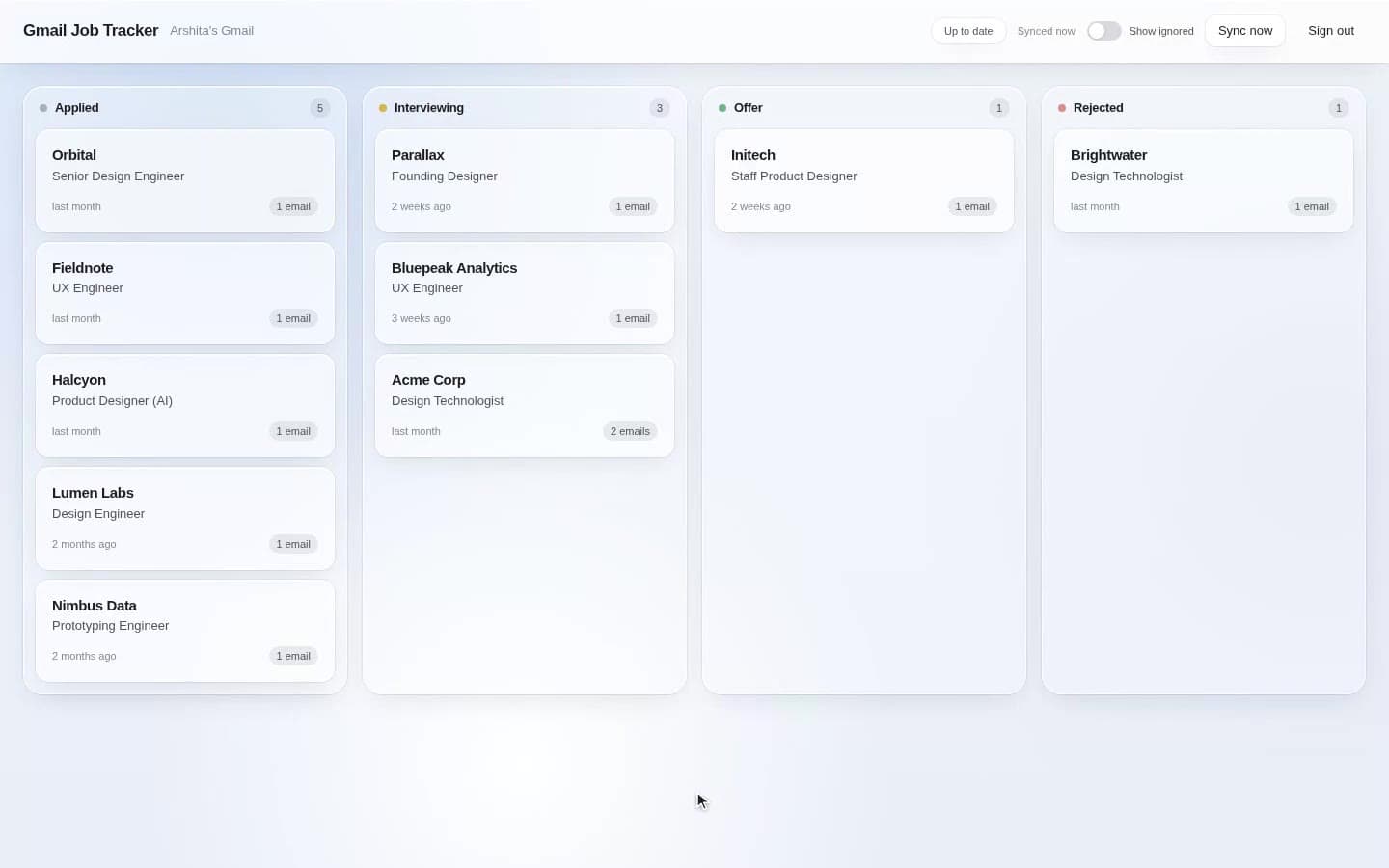
New mail lands on the board by itself.
The app checks Gmail every two minutes, or when you press Sync now. A new confirmation becomes a new card. An interview invite moves a card over.
Reading the email
A small model reads each email once and fills in a form.
Claude Haiku gets the subject, sender, snippet and the first 2,000 characters of the body. It must answer through one tool call with a fixed schema. The prompt’s hardest rule: the sender is usually an applicant-tracking system, so the company is the one named in the email, never the domain.
Applied
Confirms an application was submitted or received.
Interviewing
Invites you to schedule or confirms an interview, phone screen or call.
Offer
Extends a job offer.
Rejected
Says you weren't selected, or the company is moving forward with others.
Correcting it
Drag it. Edit it. It stays.
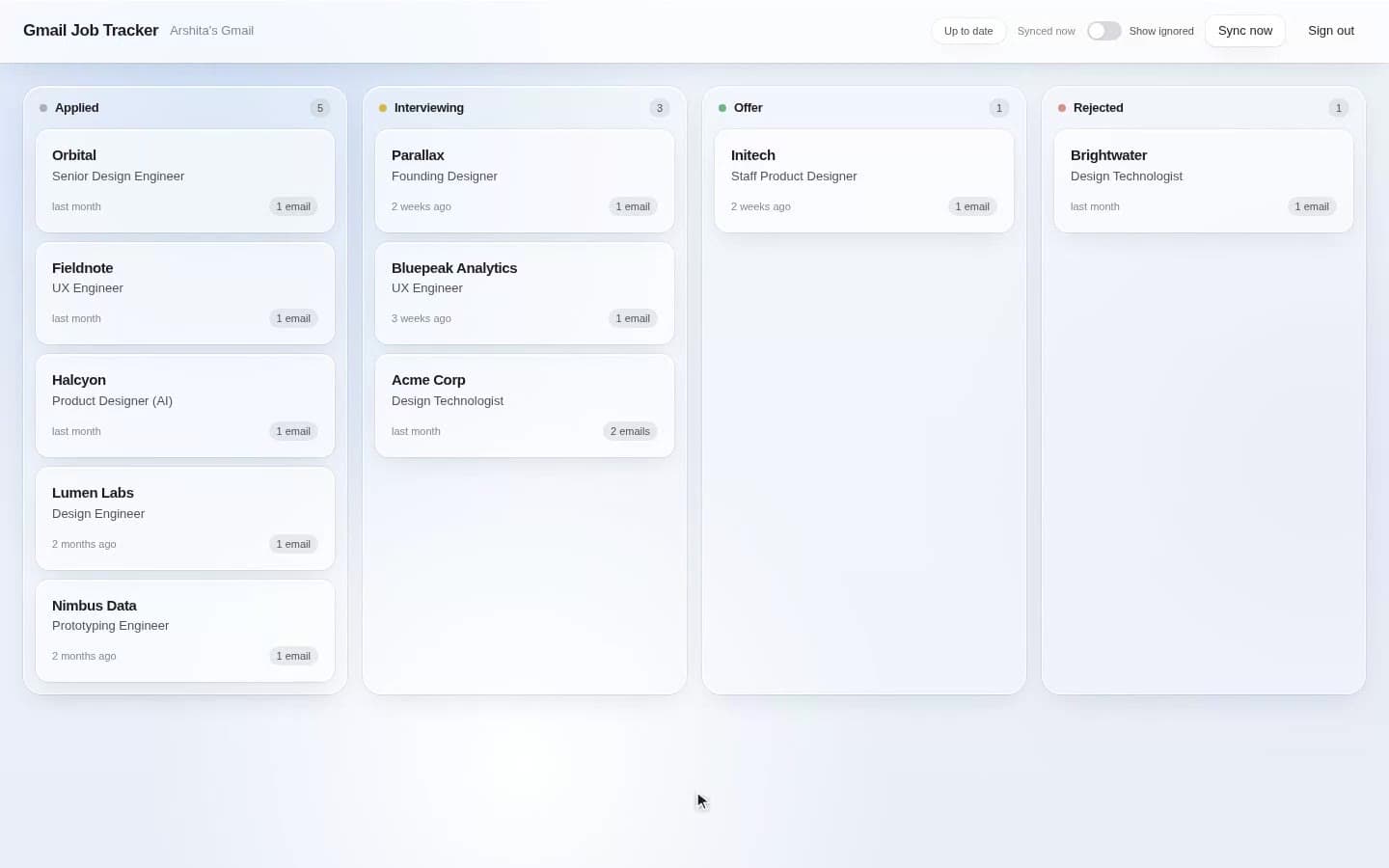
The model gets things wrong. So every card is editable, and once you touch one, sync never overwrites your version.
What's stored
The board never keeps your email.
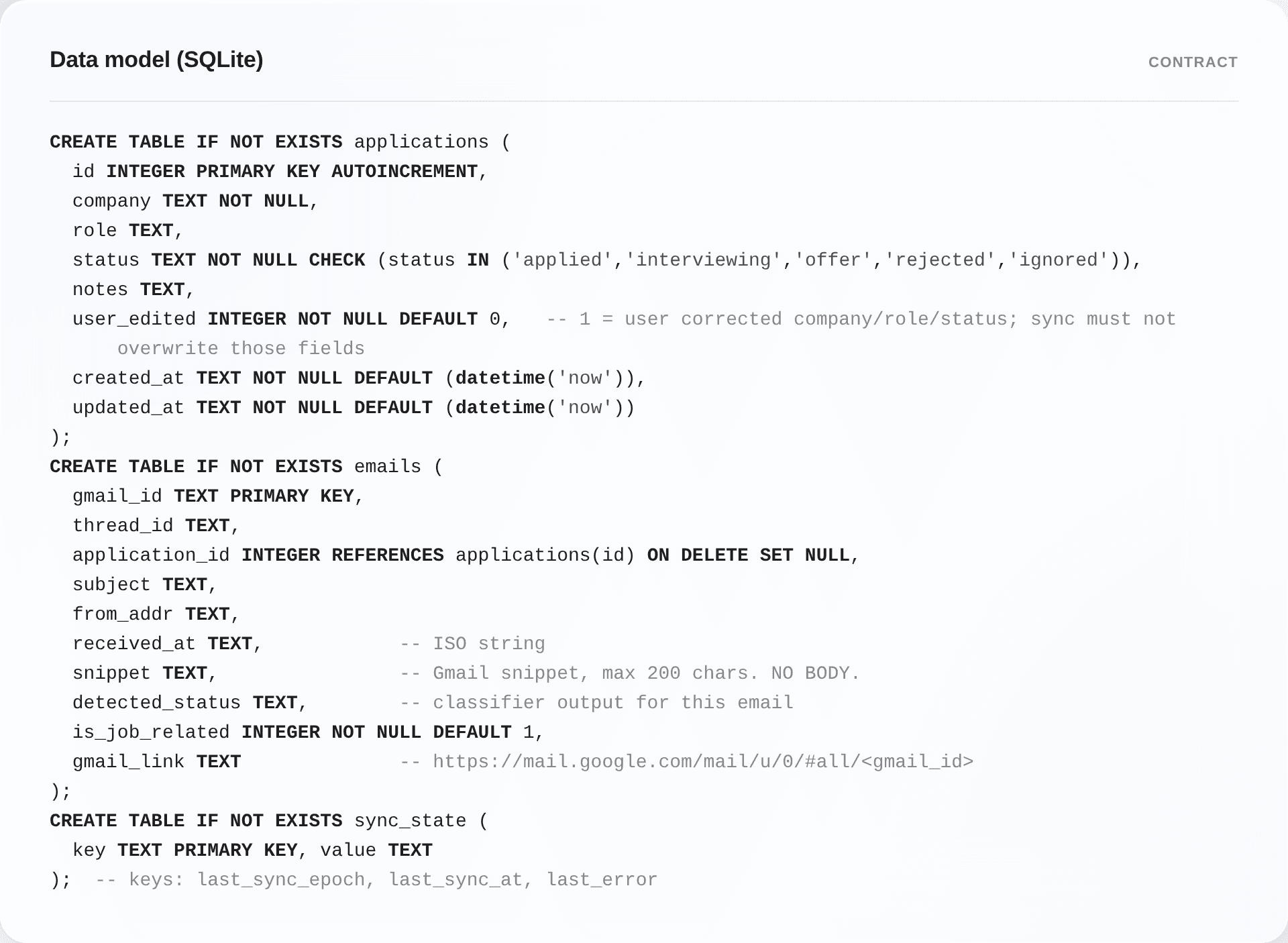
The database holds enough to draw a card and link back to Gmail.
Stored
Subject and sender
Received date
Gmail's own snippet, 200 characters
What the classifier decided
A link to the message in Gmail
Never stored
Email bodies
Read once, in memory, for classification.
The design system
Calm glass, and colour only where it means something.
The canvas is a pale blue with blurred orbs. Cards and panels are frosted glass. The only real colour is status: yellow for interviewing, green for offer, red for rejected. It lives on the column dot and the pills, never on the card. Cards keep their identity as they move between columns. Every animation respects reduced motion.

Canvas and orbs
Glass: fill, hairline, top highlight
Status tones: neutral, yellow, green, red
Radii: 10 · 14 · 20 · 28 · pill
Springs: calm and soft, from one file
Reduced motion, in CSS and in code
How I built it
I designed the process, then ran it as a network of sessions.
I wrote the brief and the constraints. A planner turned them into a contract: stack, data model, API, and which files each coder owns. Two coders built the backend and the frontend in parallel, without seeing each other’s code. An integration session ran both halves together and fixed the seams with Playwright. A reviewer did a security pass.
The redesign used the same shape: a design doc, one session for primitives, two for screens, a screenshot review. Everything shipped the same day.
Two contracts
Stack decided up front
Data model as SQL, frozen
API routes and shapes
File ownership per session
Tokens once, in one file
Component props as a table
What I'd do next
Three things, in order.
Show the model's confidence
The classifier already returns it. Low-confidence cards should ask for a check.
Gmail push
Replace the two-minute poll with a Pub/Sub subscription once it's more than one user.
Watch someone else use it
It's built around my inbox. Other people's mail will break assumptions I can't see.